
How to Translate YouTube Videos: The Complete 2026 Guide
YouTube has content in hundreds of languages. But understanding a video, or getting your own video understood across language barriers, still hits the same wall every time. A viewer wants to know what a foreign-language creator is saying. A creator wants viewers in other countries to actually watch their content. Both sides end up asking the same thing: how do you translate a YouTube video?
The answer depends on what "translate" means to you. Subtitles only? Dubbed voice? Each option has tradeoffs. This guide walks through the three real methods available in 2026: where each one works, where each one breaks, and how to get subtitles and dubbing from one tool without juggling multiple apps.
If you just want the short version: AI Video Translator handles the full stack (subtitles and voice dubbing) in a browser, no account, no credit card. The rest of this guide breaks down why that matters and how the alternatives compare.
Table of Contents
- Quick Answer: The Fastest Way to Translate a YouTube Video (Subtitles + Dubbing)
- Why Translate YouTube Videos with AI
- Method 1: YouTube's Built-In Auto-Translate Captions
- Method 2: Real-Time Subtitle Translation with a Browser Extension
- Method 3: Translate YouTube Videos with AI Video Translator (Step-by-Step)
- Comparison Table: YouTube Native vs. Extension vs. AI Tool
- Benefits of Translating Your YouTube Videos
- FAQ
📌 Short version: YouTube's auto-translate only works on videos that have captions. It does text only — the voice stays in the original language. Browser extensions fix the convenience part (no digging through menus) but inherit the same limit. No captions, nothing to translate.
If you want both translated subtitles and a new voice track, the video's audio needs to be processed directly. That skips the captions dependency altogether.
The tool does exactly that. Upload a video file, pick a target language, and get translated subtitles and dubbed audio in one pass. Free, browser-based, no sign-up.
Here is how the three approaches stack up before the step-by-step:
| Method | Translates Subtitles | Translates Voice (Dubbing) | Works Without Existing Captions |
|---|---|---|---|
| YouTube Auto-Translate | ✅ | ❌ | ❌ |
| Browser Extension | ✅ | ⚠️ (some, real-time only) | ❌ |
| AI Video Translator | ✅ | ✅ | ✅ |
Why Translate YouTube Videos with AI
Video reaches anywhere. Language does not.
A creator uploading from Brazil already has potential viewers in Japan, Germany, and Nigeria. The content can travel. The words cannot — not without help.
Subtitles are the obvious first move. But they ask the viewer to read and watch at the same time. That split attention costs retention. Tutorials, product demos, interviews — these formats work better when the viewer can just listen.
This is what pushes people from "add captions" to "use an ai video translator." A free video translator that handles audio is rare. Most free tools cap out at text. The ones that actually re-dub are where the real value lives. The goal shifts from readable text to a natural-sounding voice in another language.
A youtube video translator that covers both layers — subtitles and dubbed voice — eliminates the need to run separate tools for each. Most creators do not have the time or patience for that patchwork. 
Method 1: YouTube's Built-In Auto-Translate Captions
YouTube's auto-translate has been around long enough that most viewers have used it without thinking about it. For casual watching, it handles the job.
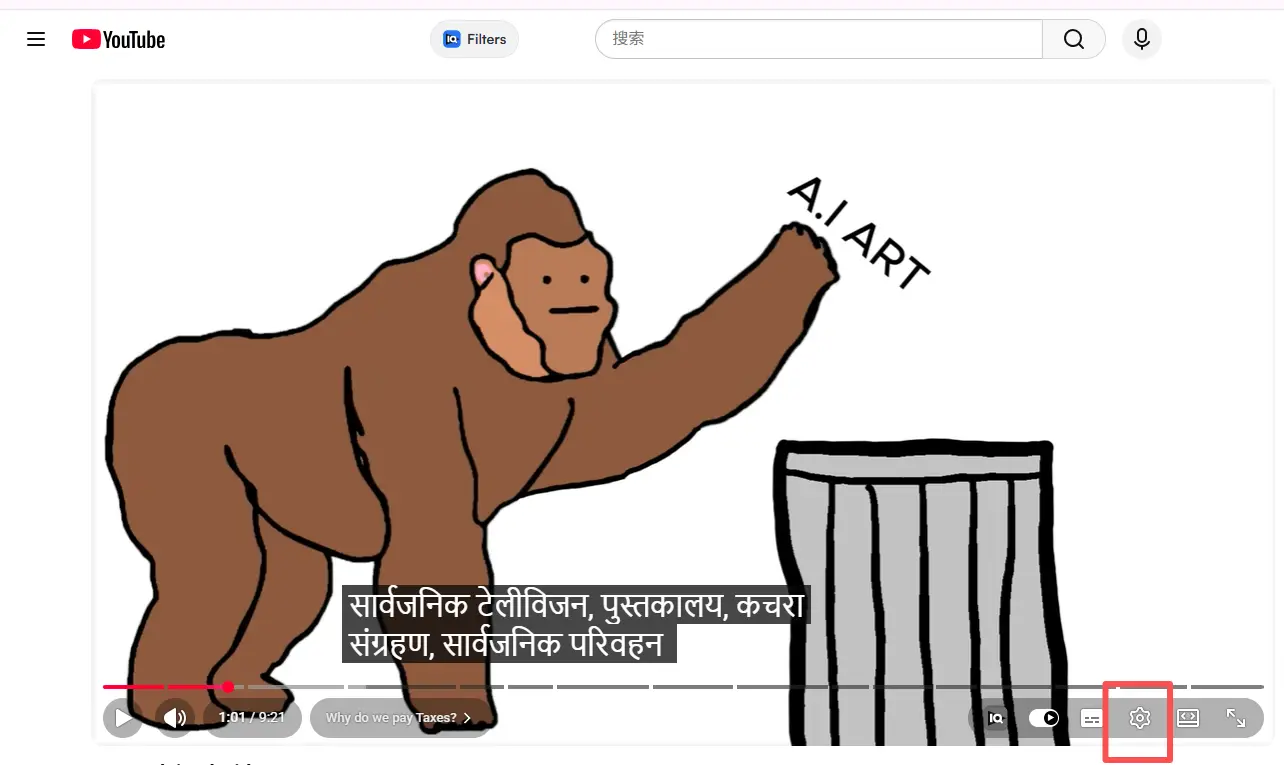
How to turn it on:
- Play the video and click the CC (Closed Captions) icon in the bottom-right.
- Click the Settings (⚙️) icon, then Subtitles/CC.
- Choose Auto-translate, scroll to your language.
Where it falls short: ⚠️ The entire feature depends on captions already existing. Either the creator uploaded them or YouTube's speech recognition auto-generated them. If neither happened, there is nothing to translate and the option does not appear.
Even when it does work: text only. No voice change. You read translated words while the original audio plays underneath. Accuracy drops on slang, technical terms, and fast speech. For quick comprehension, fine. For publishing as a creator, not enough.
Method 2: Real-Time Subtitle Translation with a Browser Extension
A few Chrome extensions overlay translated captions directly on YouTube's player. No settings menus. Install once, and it auto-detects captions and translates them as the video runs.
For viewers who just want to understand a video in another language — not publish anything — this is a step up from Method 1. Convenient. Fast. If you are searching how to translate a youtube video purely to watch it, an extension handles that without the settings maze.
Where it falls short: ⚠️ Extensions share the same weakness. No existing captions means the extension has nothing to read. And they are viewer-side tools. A creator cannot ship a re-dubbed video to their audience through a browser extension.
Most extensions also stop at text. Better subtitles, yes. A new voice track, no.
Method 3: Translate YouTube Videos with AI Video Translator (Step-by-Step)
Caption tools and extensions work with text someone else already wrote. What if the video has zero captions? What if you need the voice to change, not just the words at the bottom of the screen? When someone searches for a free AI video translator, this is usually what they actually need — not another caption layer, but a full audio replacement.
That is the gap a full ai video translator fills. Instead of reading existing captions, it listens to the audio, transcribes what it hears, translates the content, and generates a new voice track. No captions needed. The audio is the source.
Here's the full workflow using ai video translator: 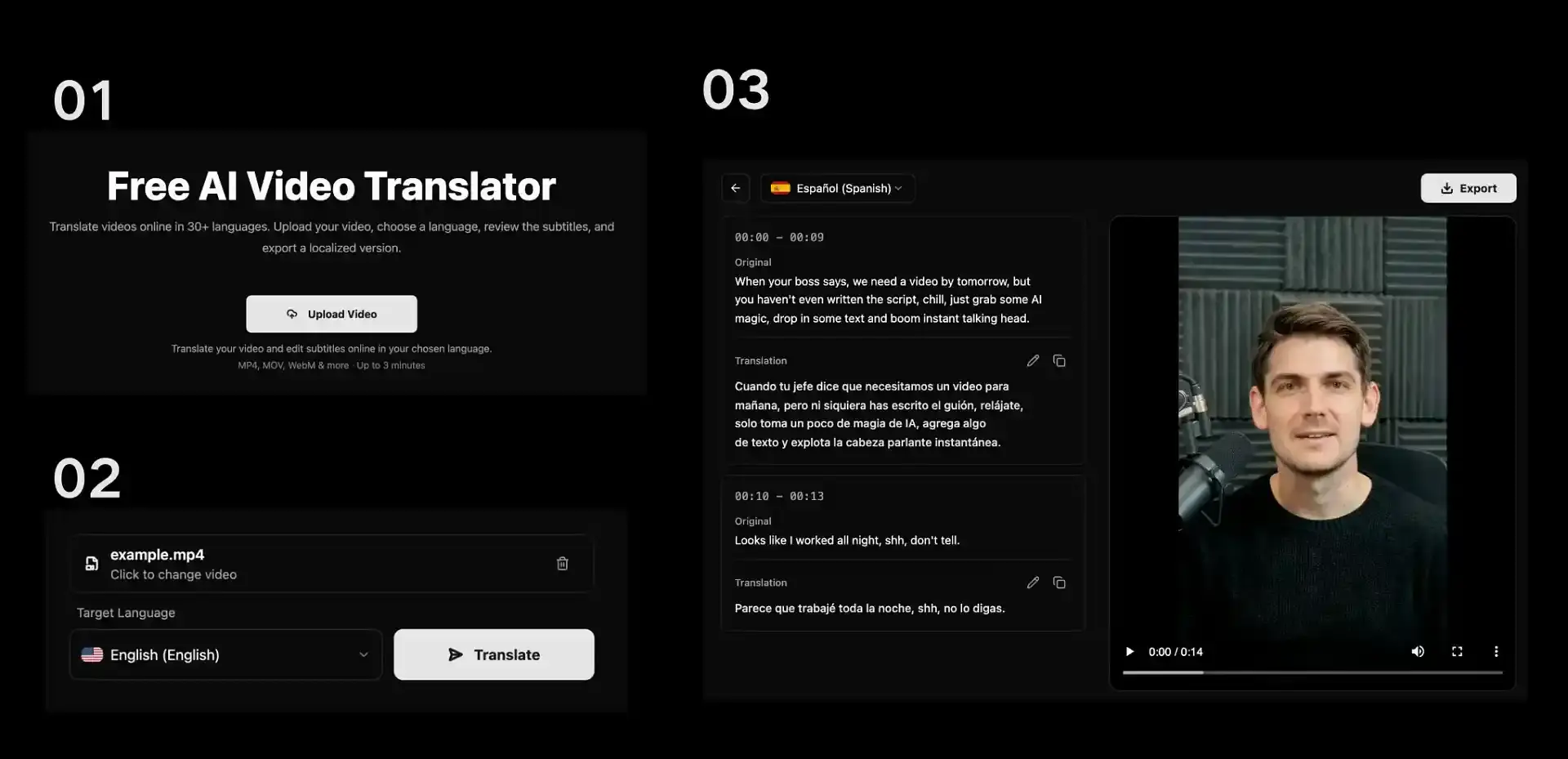
Step 1 – Upload Your Video 📤
Click Upload Video and select your file. Your own recording, a pre-publish draft, or any video you have permission to translate. Note: this is a file upload, not a YouTube link. If the video belongs to someone else, you need a copy you are authorized to use.
Step 2 – Select Your Target Language 🌐
Pick from 30+ languages. The tool detects the source language on its own. You only choose where you want it to go. 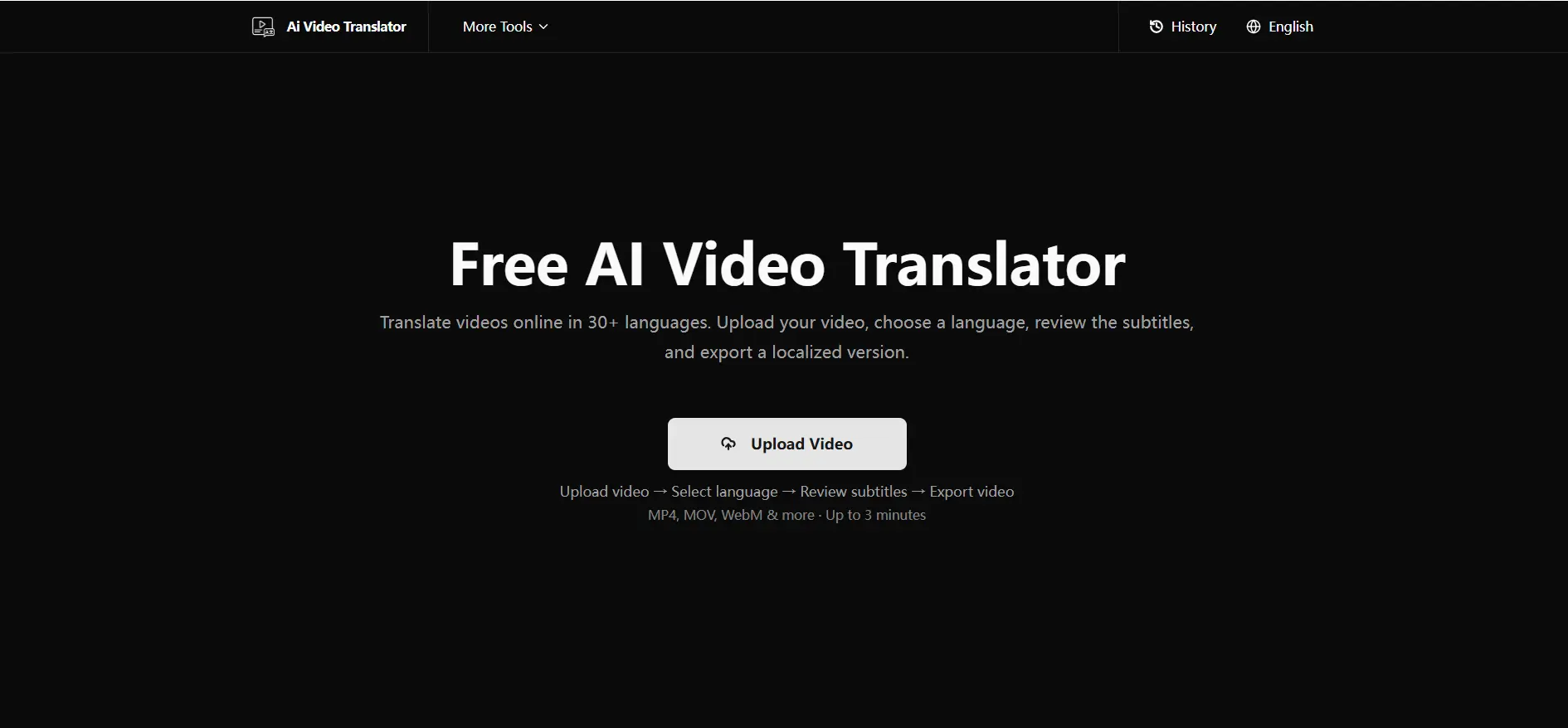
Step 3 – Review and Edit the Translated Script ✏️
Processing completes, and up comes a side-by-side view: original text on one side, translation on the other, organized by timestamp. This is where a quick human review pays off. Automatic translation gets the meaning across. Fixing a mistranslated phrase or tightening timing is what takes it from functional to natural. It does not take long, and the difference is audible.
Step 4 – Generate Dubbed Audio 🎙️
Script looks right? Generate the voice track. Pick from natural-sounding voices and apply the new audio to your video. The result creates a more natural listening experience compared with basic machine-generated dubbing.
Step 5 – Export Your Translated Video 📥
Preview, then export. Translated subtitles and new voice track. Ready to upload as a localized version. 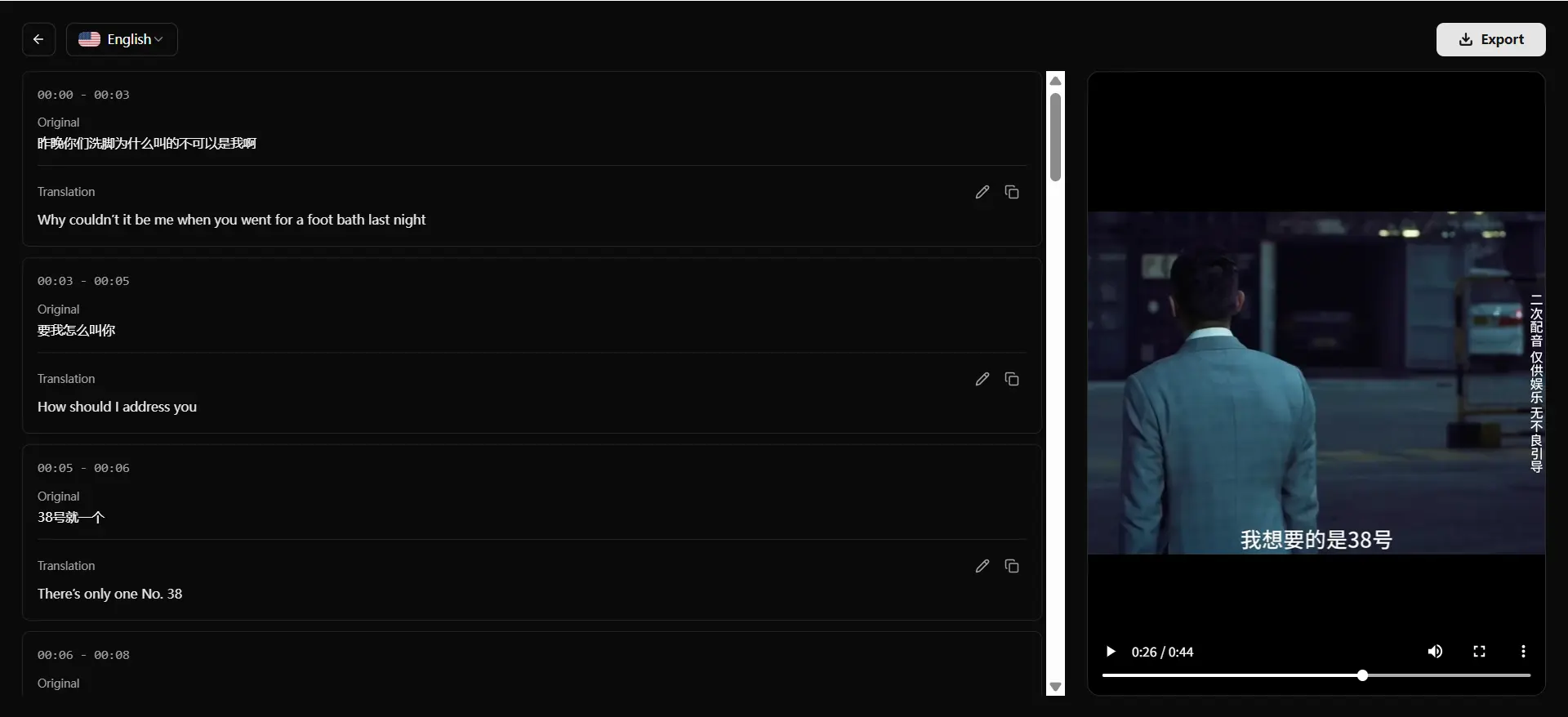
Comparison Table: YouTube Native vs. Extension vs. AI Tool
| Feature | YouTube Auto-Translate | Browser Extension | AI Video Translator |
|---|---|---|---|
| Cost | Free | Free / Freemium | Free |
| Needs existing captions | Yes | Yes | No |
| Translates subtitles | Yes | Yes | Yes |
| Dubs the actual voice | No | Rarely (real-time only) | Yes |
| Good for creators publishing translated versions | Limited | No | Yes |
| Setup required | None | Install extension | None (browser-based) |
Benefits of Translating Your YouTube Videos
🌍 Reach a global audience. Language is the single biggest reason content stays locked to one region. Remove it, and the video becomes accessible to markets you were never reaching before.
📈 Boost engagement and watch time. A viewer who fully understands the audio stays on the video. A viewer squinting at auto-generated captions clicks away. Retention goes up when comprehension requires no effort.
🔍 Improve discoverability. Translated titles, descriptions, and subtitles let your video show up in searches conducted in other languages. More languages indexed means more surfaces to be found.
🤝 Build trust with international viewers. A dubbed video signals intent. It says "this was made for your language" instead of "we hit auto-translate and moved on." The viewer notices the difference.
FAQ
How do I translate a YouTube video that has no captions or CC?
YouTube's native tool and browser extensions both depend on existing captions. If there are none, neither works. You need a tool that listens to the audio directly. The result creates a more natural listening experience compared with basic machine-generated dubbing.
How can I translate a YouTube video into English?
Upload the file, set English as the target. The tool auto-detects the source language, transcribes it, translates to English, and generates a dubbed track.
Can I translate a YouTube video into another language automatically?
Yes. Upload, choose the target language, and the platform handles transcription, translation, and voice generation. No manual scripting needed.
Can AI translate video audio and voice, not just text?
Yes. Subtitles add text on screen. AI dubbing replaces the audio entirely — new voice, new language. The new track carries the translated speech in a natural-sounding voice.
What is the best AI video translator for YouTube creators?
It depends on your volume and whether you need voice dubbing. The tools that bundle auto-transcription, script editing, and voice generation into one workflow save the most time.For a free starting point, a browser-based AI video translator lets you test the full workflow without committing to a subscription.
Is there an ai video translator free unlimited option?
Yes. AI Video Translator allows you to translate videos for free with no sign-up required.
How to translate youtube videos to english for publishing?
Same workflow as any language pair. Upload, set English as the target, review the translated script, generate the voice track. The source language is auto-detected.
At the end of it, translating YouTube videos comes down to one question: text or voice? If text is enough, the built-in tool or an extension handles it. If the goal is a video that sounds native in another language, translate your videos with AI for free does subtitles and dubbing in one place, with no sign-up required.